Categories Overview
The Categories page displays all product categories in a structured table. It allows you to quickly search, review, and manage categories used across products.
Page Layout
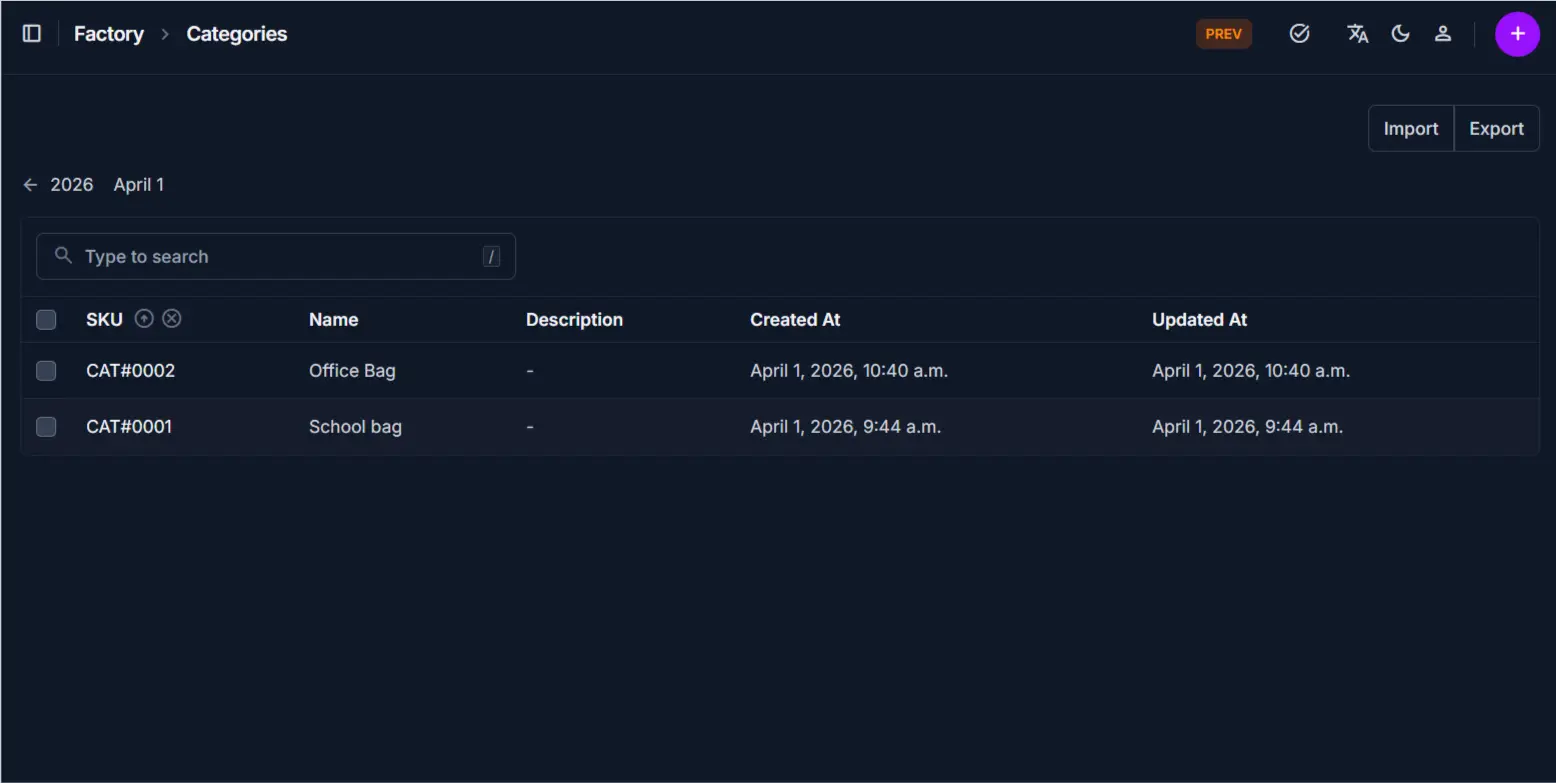
The page includes:
- Search bar for quick lookup
- Category list table
- Import and Export options
- Add (+) button for creating new categories
Category List
The table shows all categories with key details:
| Column | Description |
|---|---|
| SKU | Unique identifier for each category |
| Name | Category name used for grouping products |
| Description | Additional details (if provided) |
| Created At | Date and time the category was created |
| Updated At | Last modification date |
Search Bar
Use the search bar to quickly find categories.
How to use
- Type a keyword (e.g., category name or SKU)
- The table updates instantly based on your input
Tip
Use SKU for faster and more accurate search results.
Import / Export
These options allow bulk data management.
Import
- Upload category data from a file
- Useful when adding multiple categories at once
Export
- Download the current category list
- Useful for reporting or backup
Note
Ensure the import file format matches system requirements.
Tips and Best Practices
- Use search instead of manually scanning the list
- Keep category names consistent for easier management
- Use export regularly for backup and reporting
Tip
* Use search instead of manually scanning the list * Keep category names consistent for easier management * Use export regularly for backup and reporting
Related Pages
- Add Category — Create a new category
- Edit Category — Update category information
- Products — Assign categories to products