Products Overview
The Products section allows you to manage all manufactured products, define material compositions, set pricing, and track inventory levels.
Product List Page
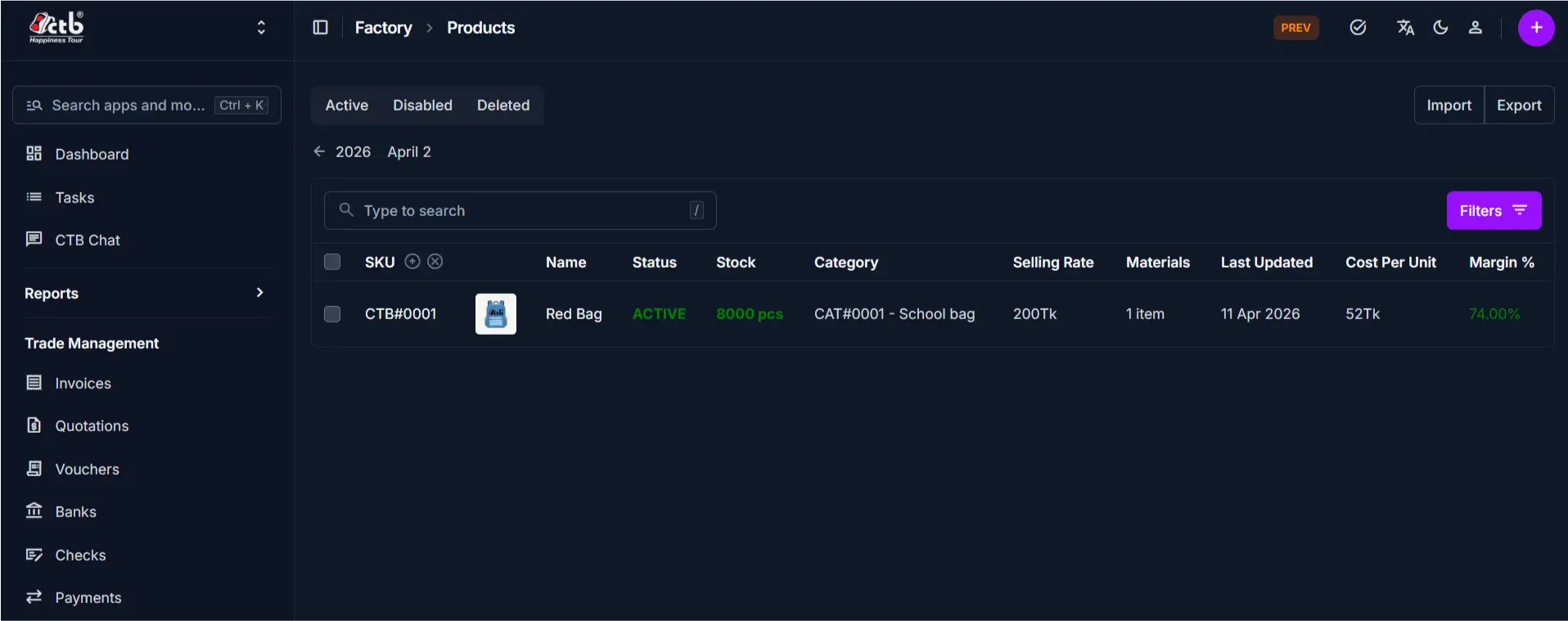
The Product List page displays all products in a table format for quick access and management.
Key Features
- View all products with essential details
- Quickly search and locate specific products
- Access product edit page directly
- Filter by Active, Disabled, or Deleted status
- Import and export product data
Table Information
The table provides a real-time summary of your factory's product portfolio:
| Column | Description |
|---|---|
| SKU | Unique identifier (e.g., CTB#0001) and clickable link to the edit page. |
| Name | The product name (e.g., "Red Bag") with a thumbnail image. |
| Status | Current status badge: ACTIVE (green) or DISABLED (gray). |
| Stock | Current available quantity. Items at 0 are highlighted in red. |
| Category | Product category for organization (e.g., "CAT#0001 - School bag"). |
| Selling Rate | Price per unit charged to clients. |
| Materials | Number of materials used in the product composition (e.g., "1 item"). |
| Last Updated | The date and time when the product was last modified. |
| Cost Per Unit | Total production cost per unit. |
| Margin % | Profit margin percentage (Selling Rate - Cost Per Unit) / Selling Rate × 100. |
Search
- Use the search bar to find products by name or SKU
- Click Filters (top-right) to filter by status, category, or other criteria
Navigation to Edit Page
- Click on the SKU, Photo, or Name
- This opens the Product Edit Page
Product Edit Page Tabs
The product edit page is divided into multiple tabs. Each tab focuses on a different type of information.
General Tab
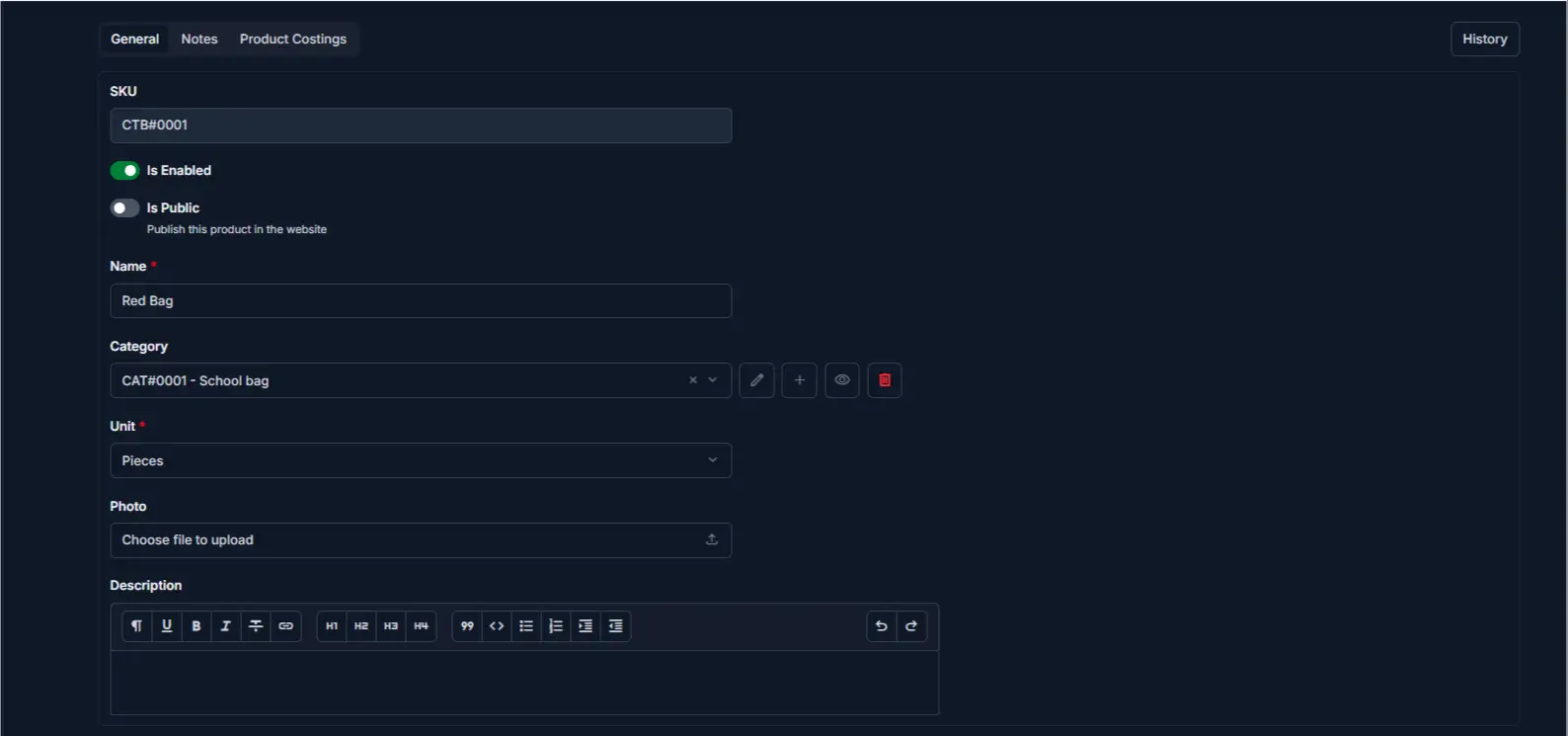
This tab contains the basic product information.
Includes
- SKU
- Product name
- Category
- Unit (e.g., pieces, dozens)
- Photo
- Description
- Enable/Disable toggle
- Public visibility toggle
Purpose
Used for managing product identity, categorization, and basic configuration.
Notes Tab
This tab displays additional product documentation.
Includes
- Custom notes or internal comments
- Product specifications or special instructions
Purpose
Used to store supplementary information about the product for reference by production or sales teams.
Product Costings Tab
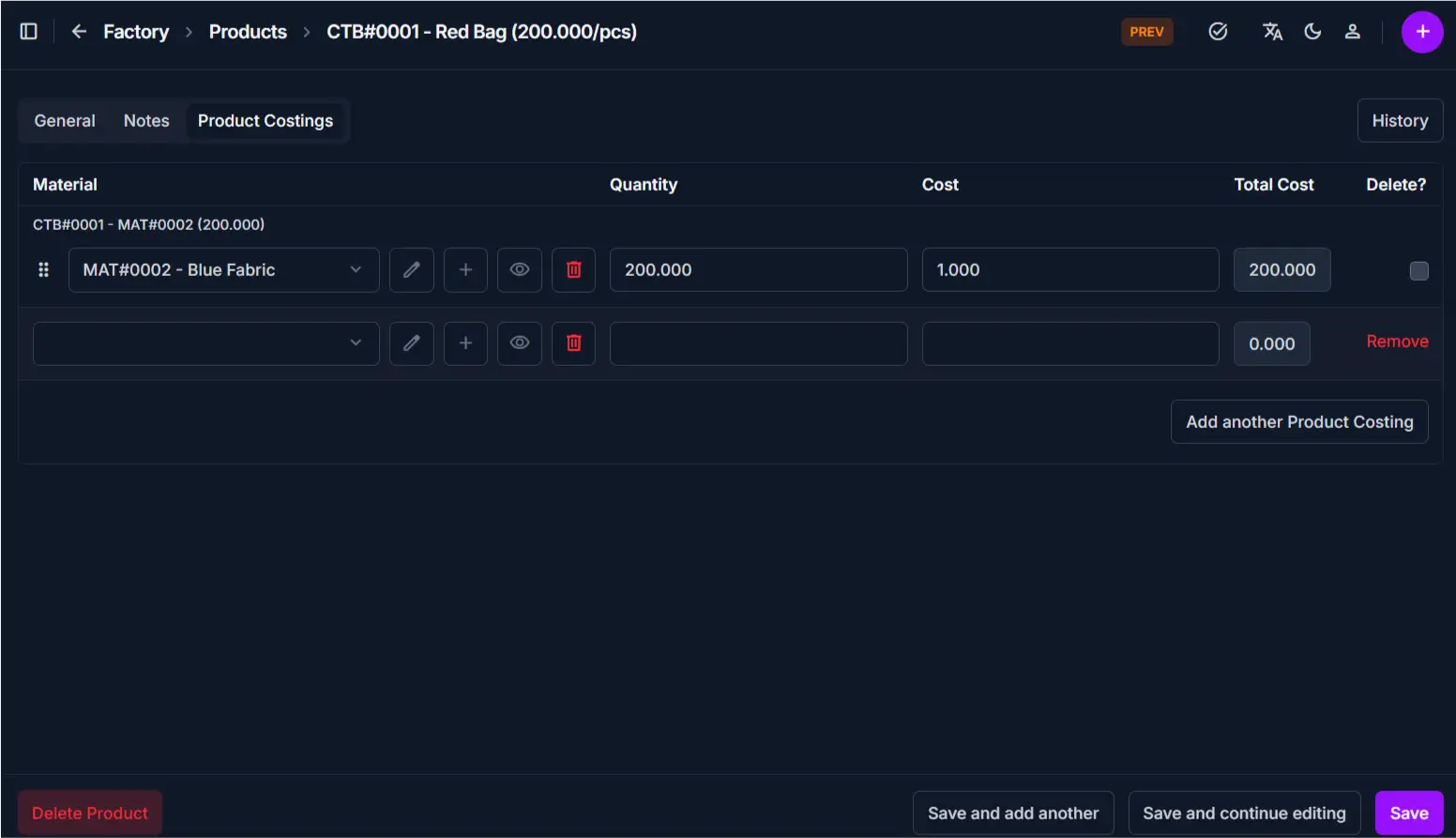
This tab defines the material composition and cost calculation for the product.
Includes
- List of materials used in the product
- Quantity of each material per unit
- Material cost per unit
- Total material cost
- Selling rate
- Production wage
- Costing rate
- Total production cost
- Profit calculation
Purpose
Used to track which materials compose the product, manage pricing, and monitor profit margins.
Product History Button
This tab displays a complete audit trail of the product record.
Includes
- Chronological list of all actions (Created, Changed)
- Detailed log of value transitions
- User identification and change reasons
- Option to revert to previous versions
Purpose
Used to track who modified the product, when changes occurred, and to restore previous configurations if needed.
Best Practices
- Use the General tab to update basic product information
- Keep Product Costings up to date to ensure accurate profit calculations
- Review Margin % regularly — adjust selling rate if margins are too low
- Use Disable for discontinued products instead of deleting them
- Always add all required materials in the Product Costings tab before marking a product active
- Check the History tab to understand why a product's cost or price was changed
Related Pages
- Add Product — Create new products
- Edit Product — Update product details and costings
- Categories — Manage product categories
- Materials — Manage and view materials
- Product Reports — Analyze product sales and profitability