Add Inventory
Overview
The Add Inventory page is used to record stock movement for materials. You can add stock, remove stock, or transfer stock using this page.
When to Use
Use this page when:
- Adding new stock to inventory
- Recording material usage or consumption
- Managing stock transfers
How to Add Inventory
- Go to Factory → Material Inventory
- Click the + (Add) button
Basic Information
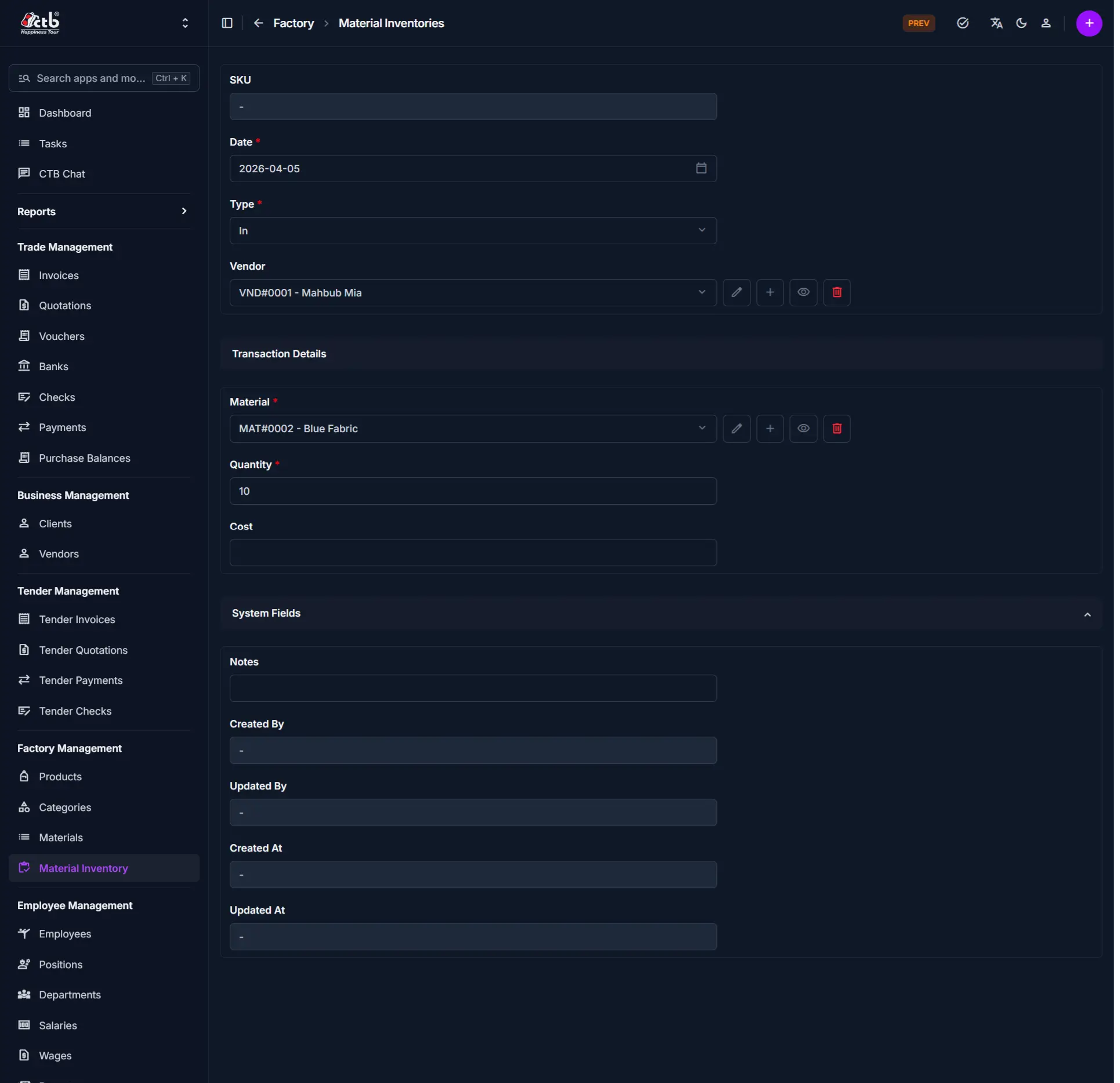
| Field | Description |
|---|---|
| SKU | Auto-generated inventory reference |
| Date | Date of the transaction |
| Type | Defines the inventory action (In, Out, Transfer) |
Type Behavior (Important)
The form changes based on the selected Type:
In (Stock Increase)
- Vendor field appears
- Used when purchasing or receiving materials
Out (Stock Decrease)
- Employee field appears
- Used when materials are issued or consumed
Transfer
- Both Vendor and Employee fields are hidden
- Used for internal stock movement
Warning
Selecting the wrong type will result in incorrect inventory records.
Transaction Details
| Field | Description |
|---|---|
| Material | Select the material |
| Quantity | Amount of stock to add/remove |
| Cost | Cost per unit (mainly used for "In") |
System Fields
| Field | Description |
|---|---|
| Notes | Optional remarks |
| Created By | System-generated |
| Updated By | System-generated |
| Created At | Auto timestamp |
| Updated At | Auto timestamp |
Best Practices
- Always select the correct Type before entering data
- Use accurate Quantity to maintain stock integrity
- Add Notes for traceability
Related Pages
- Materials — Manage material details
- Inventory In / Out Tabs — View stock history