Material Overview
Overview
The Materials section allows you to manage all raw materials, track stock movement, and monitor inventory activity.
Material List Page
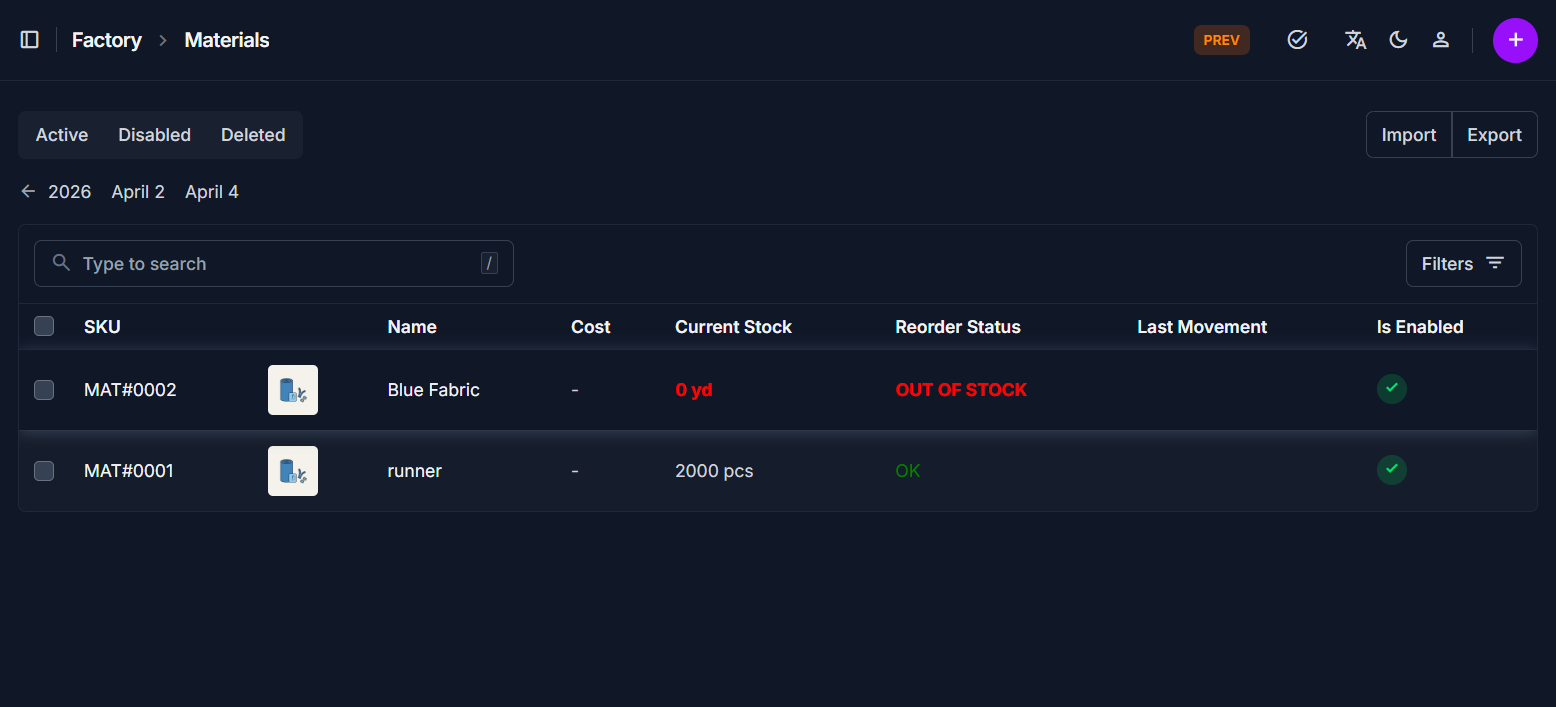
The Material List page displays all materials in a table format for quick access and management.
Key Features
- View all materials with essential details
- Quickly search and locate specific materials
- Access material edit page directly
Table Information
The table provides a real-time summary of your factory's resources:
| Column | Description |
|---|---|
| SKU | Unique identifier (e.g., MAT#0001) and clickable link to the edit page. |
| Name | The descriptive name (e.g., "Blue Fabric") along with a thumbnail image. |
| Cost | The recorded cost per unit. |
| Current Stock | Total quantity available. Items at 0 are highlighted in red. |
| Reorder Status | Visual alerts such as OUT OF STOCK (red) or OK (green). |
| Last Movement | The timestamp of the most recent inventory transaction. |
| Is Enabled | A green checkmark indicates if the material is currently active in the system. |
Search
- Use the search bar to find materials by name or SKU
Navigation to Edit Page
- Click on the SKU, Photo, or Name
- This opens the Material Edit Page
Material Edit Page Tabs
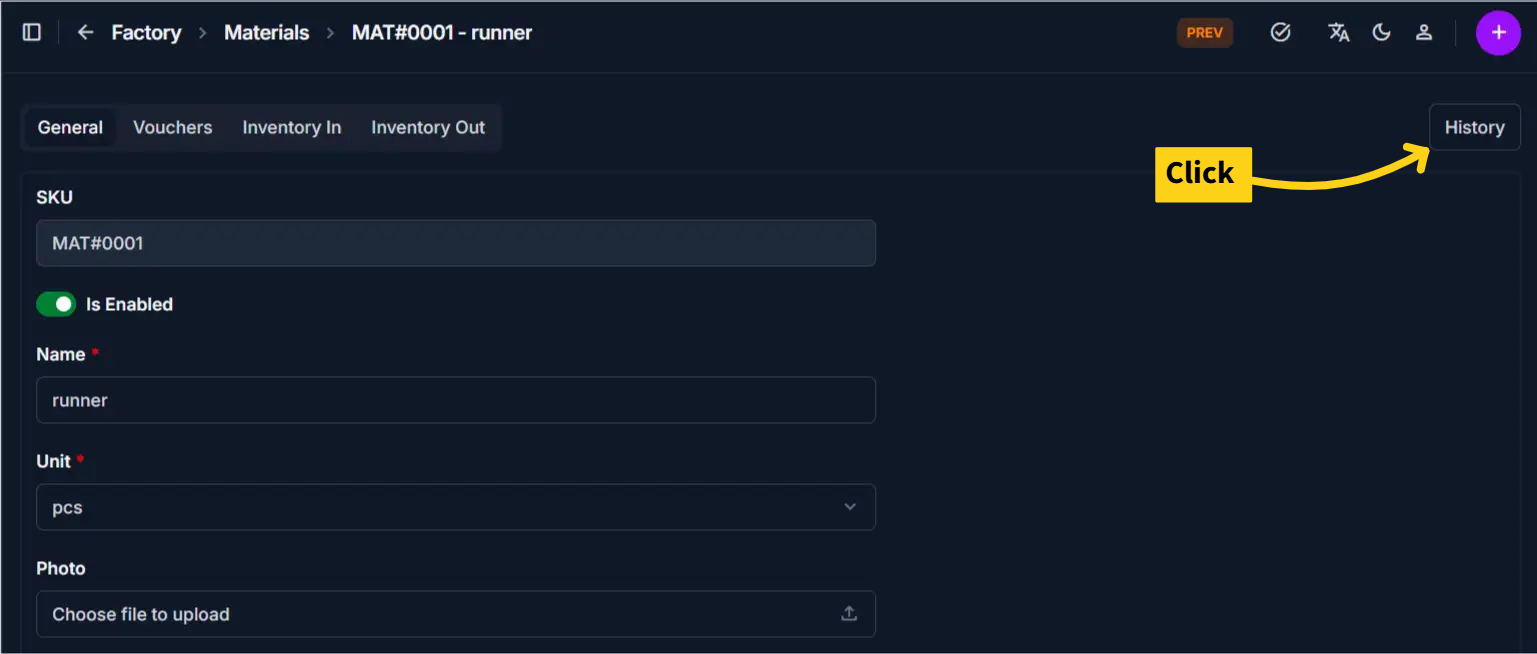
The material edit page is divided into multiple tabs. Each tab focuses on a different type of information.
General Tab
This tab contains the basic material details.
Includes
- SKU
- Name
- Unit
- Photo
- Description
- Enable/Disable toggle
Purpose
Used for managing identity and basic configuration of the material.
Vouchers Tab
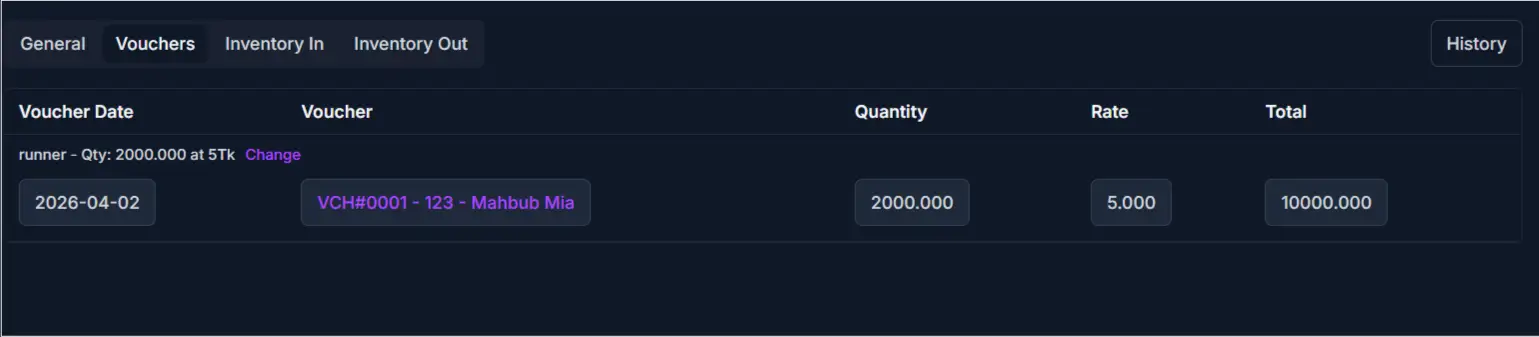
This tab shows all transactions related to the material.
Includes
- Linked vouchers where the material was used
- Transaction history records
Purpose
Used to track where and how the material has been used in the system.
Inventory In Tab
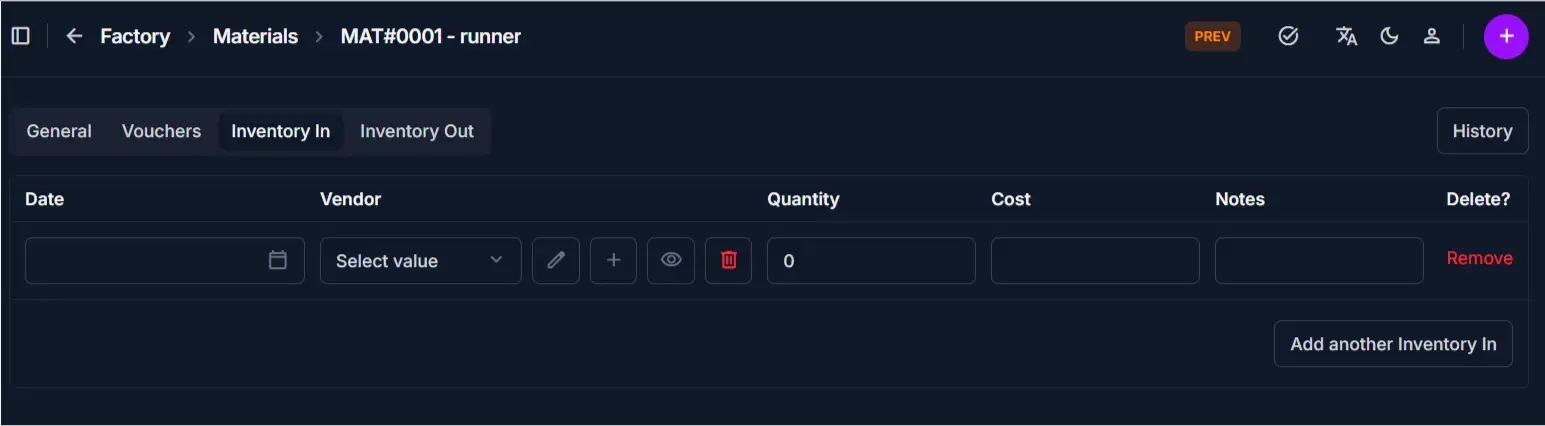
This tab displays all stock additions.
Includes
- Records of incoming stock
- Quantity added
- Date and reference
Purpose
Used to monitor how stock is increasing over time.
Inventory Out Tab
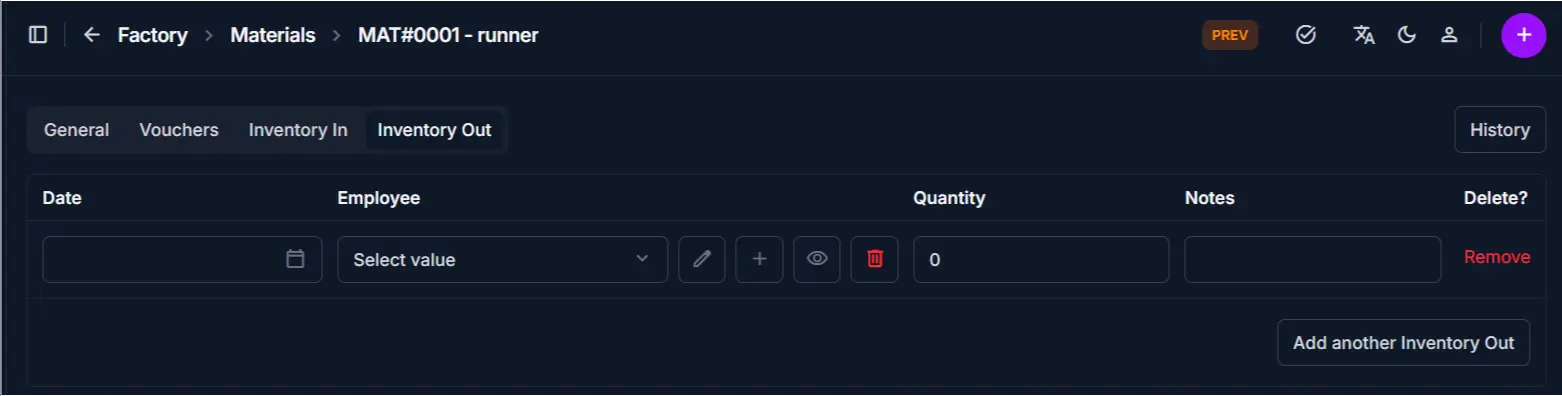
This tab displays all stock deductions.
Includes
- Records of used or removed stock
- Quantity deducted
- Date and reference
Purpose
Used to track material usage and stock reduction.
Material History Button
This tab displays a complete audit trail of the material record.
Includes
- Chronological list of all actions (Created, Changed)
- Detailed log of value transitions (e.g.,
Stock: 0 → 2000) - User identification and change reasons
- Option to revert to previous versions
Best Practices
- Use the General tab for updates, not inventory adjustments
- Always review Inventory In/Out before changing stock manually
- Use Vouchers tab to trace material usage issues
Related Pages
- Add Material — Create new material
- Edit Material — Update material details
- Inventory In / Out — Manage stock movement