Product Detail
The Product Detail page displays the complete profile of a product, including name, category, pricing information, production costs, materials composition, and current stock levels. It allows you to review product information and perform actions such as editing or managing inventory.
When to use Product Detail
- Viewing a product's full specifications and pricing
- Checking materials used in production
- Reviewing production costs and profit margins
- Verifying stock levels and restock thresholds
- Accessing product-related actions such as editing or inventory management
How to access Product Detail
- Go to Factory → Products from the sidebar.
- On the Products List page, click on any product row, SKU, or product name.
The system will open the Product Detail page.
Page Overview
The page is typically divided into multiple sections:
- General Information
- Pricing and Costing Information
- Product Materials (Costings)
- Stock and Inventory Status
General Information
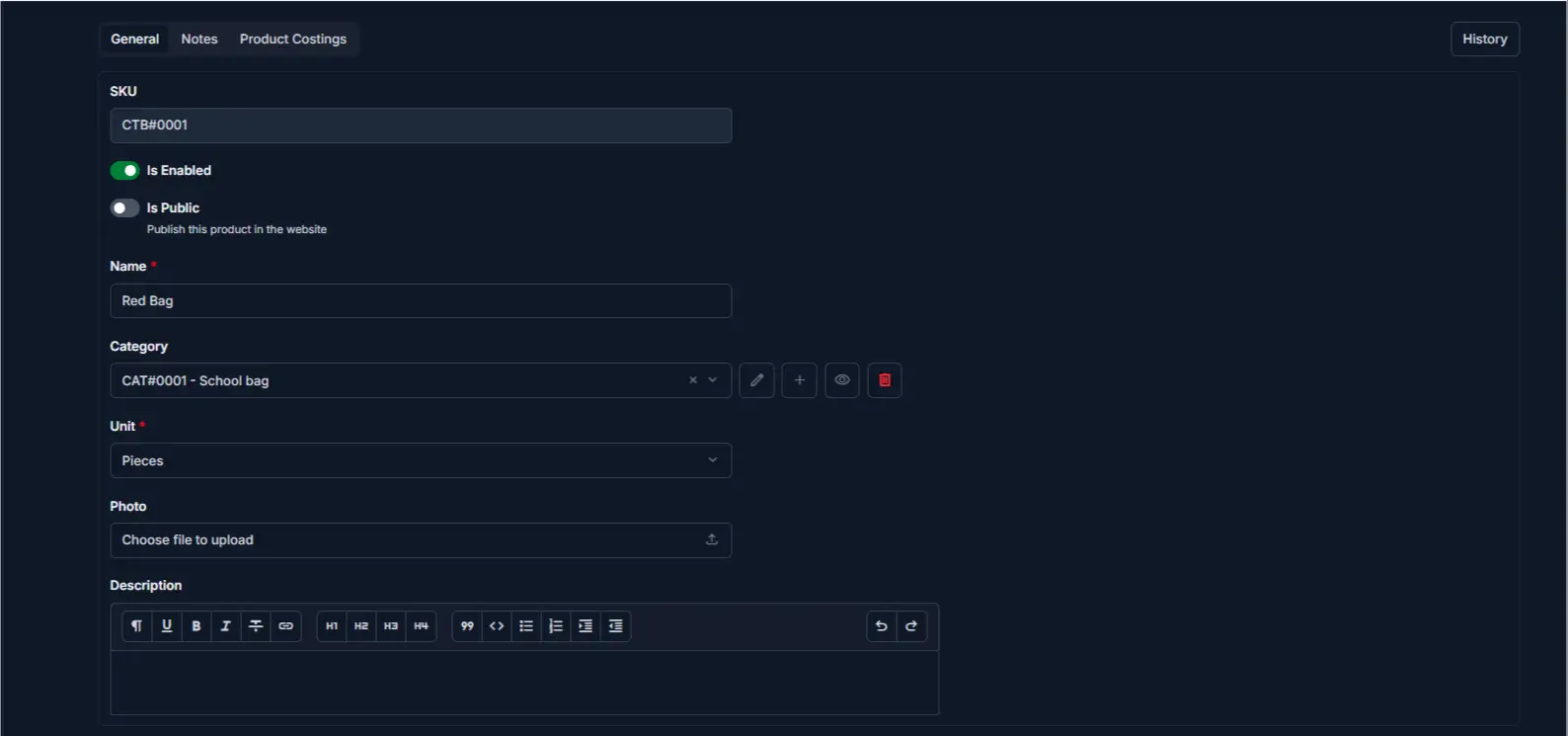
This section displays the product's basic information.
| Field | Description |
|---|---|
| SKU | Unique product ID generated by the system |
| Is Enabled | Shows whether the product is active |
| Is Public | Indicates if the product is published |
| Name | Product name used in invoices and reports |
| Category | Product category for organization |
| Unit | Measurement unit (for example, Pieces) |
| Photo | Product image (if uploaded) |
| Description | Product details or usage notes |
Pricing and Costing Information

This section shows the product's financial details and cost structure.
| Field | Description |
|---|---|
| Selling Rate | Price per unit charged to clients |
| Production Wage | Wage cost per unit for production labor |
| Costing Quantity | Quantity used for cost calculations |
| Costing Rate | Cost per unit for production |
| Materials Cost | Total cost of all raw materials used (auto-calc) |
| Total Cost | Combined production and material costs (auto-calc) |
| Profit | Difference between selling price and total cost |
Note
Materials Cost, Total Cost, and Profit are automatically calculated based on materials and production settings.
Product Materials (Costings)
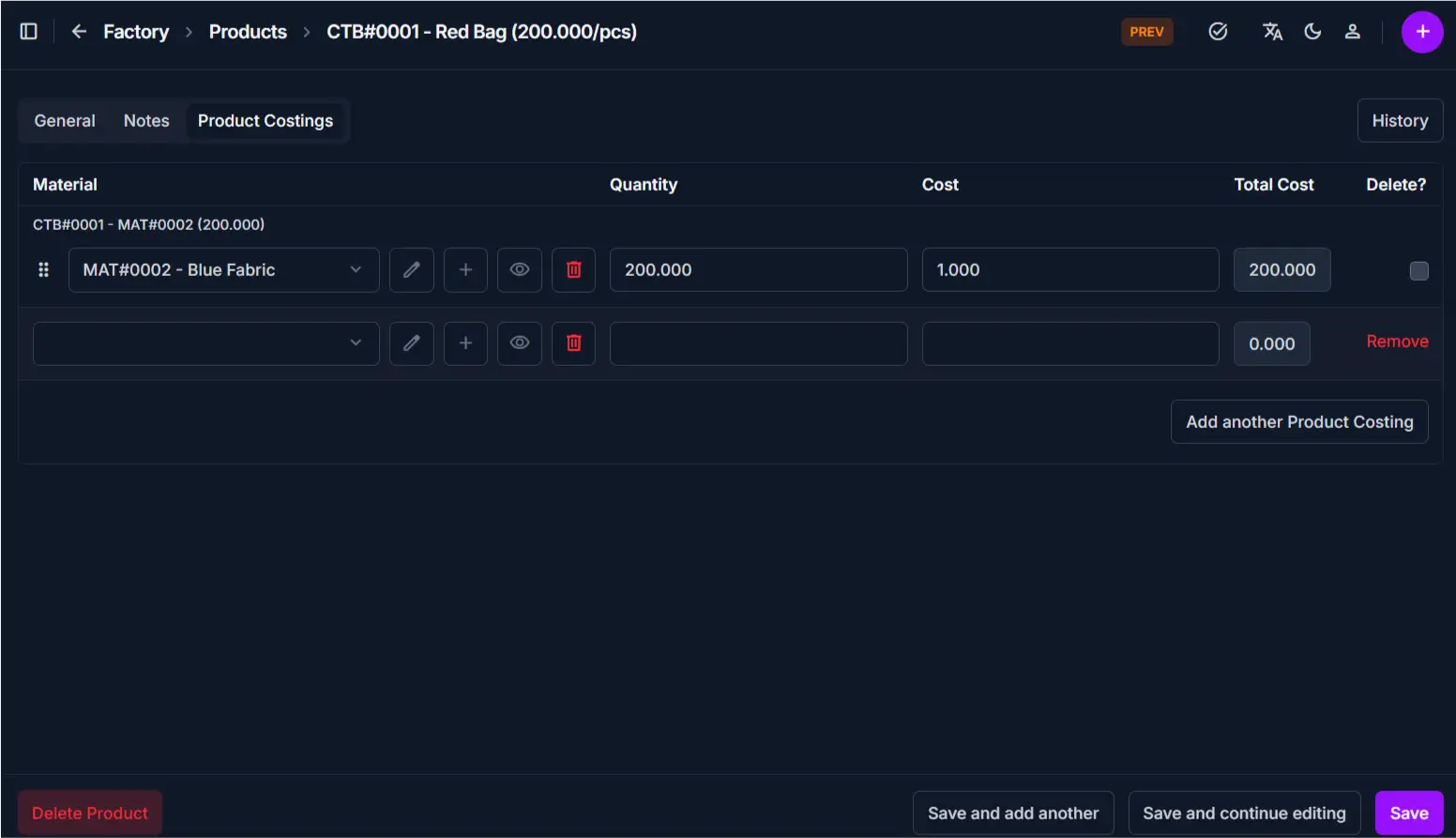
This section lists all raw materials used to produce this product.
| Column | Description |
|---|---|
| Material | Name of the raw material |
| Quantity | Amount of material needed per unit |
| Cost | Cost per unit of the material |
| Total Cost | Calculated total (Quantity × Material Cost) |
Note
Product Materials (Costings) sections are only visible to super users. Other users will not see costing details.
Stock and Inventory Status
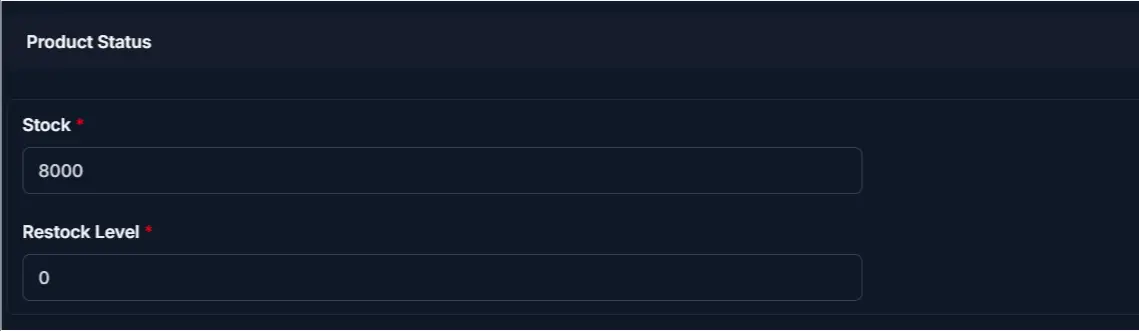
This section displays current inventory information.
| Field | Description |
|---|---|
| Product Status | Active, Disabled, or Deleted state |
| Stock | Current available quantity in inventory |
| Restock Level | Minimum stock quantity before reordering |
Available Actions
From the Product Detail page, you can perform the following actions:
| Action | Description |
|---|---|
| Edit Product | Modify the product's information |
| Enable / Disable | Change the product's active status |
| View Reports | Check product sales and usage data |
Tips and Common Issues
- The SKU field cannot be changed after a product is created; use it to identify products in invoices and reports.
- Materials Cost and Total Cost update automatically whenever materials are added or removed.
- If the product is disabled, it cannot be used in new invoices; existing invoices remain unchanged.
- To adjust stock accurately, use Inventory In or Inventory Out transactions rather than editing the Stock field directly to maintain an audit trail.
Related pages
- Products Overview for viewing all products.
- Add Product for creating new products.
- Edit Product for modifying product details.
- Add Inventory Entry for recording stock changes.