Manage Department
Use this page to add or edit a department within your organization. Departments help organize employees by function or team, making it easier to manage roles, reporting, and permissions.
When to use Manage Department
- Creating a new department for your organization
- Editing the name, description, or status of an existing department
- Disabling or enabling a department as business needs change
- Adding internal notes or audit information for compliance
How to access Manage Department page
From the sidebar, go to Employee Management → Departments. On the Departments List page, click the purple (+) icon in the top-right corner to add a new department, or select an existing department to edit.
The system opens the Manage Department page.
Department Information
Fill in the following fields in the Department Information section:
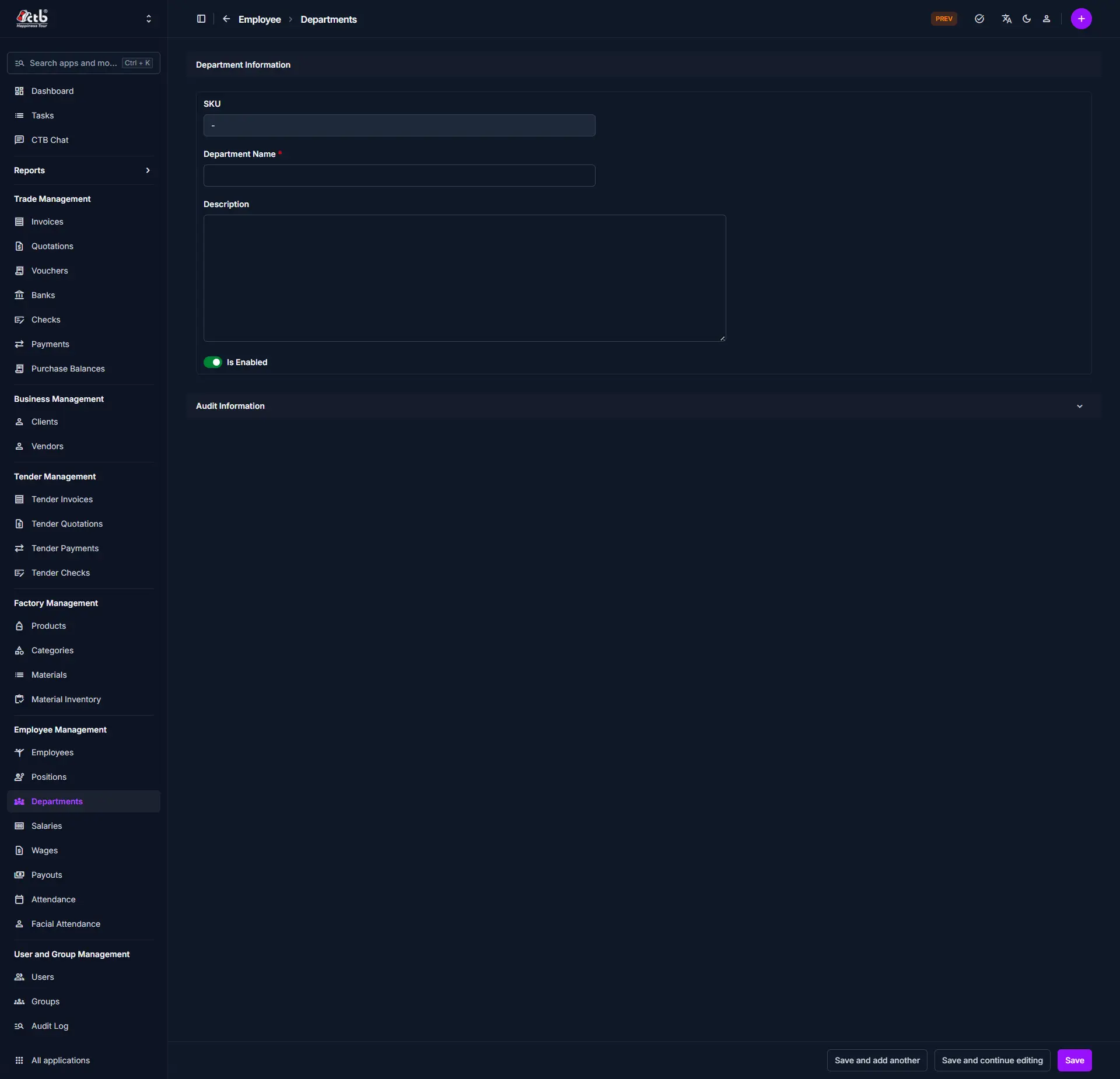
| Field | What to Do | Description |
|---|---|---|
| SKU | Auto-generated | System-generated identifier for the department |
| Department Name * | Enter name | The official name of the department (required) |
| Description | Enter text | Optional details about the department's function or purpose |
| Is Enabled | Toggle on/off | Set whether the department is active and available for selection |
Warning
Fields marked with a red star (*) are mandatory.
Audit Information
The Audit Information section displays system-generated details about who created or last modified the department record. This section is read-only and helps with compliance and tracking changes.
Saving the Department
After completing all fields:
- Click Save to create or update the department
- Click Save and continue editing to save and remain on the page
- Click Save and add another to save and immediately add a new department
The department will now be available for employee assignment and reporting.
Tips and Common Issues
- Department Name is required — You must enter a unique name before saving
- Is Enabled — Only enabled departments can be assigned to employees
- Use Description for clarity — Add details to help others understand the department's role
Related Pages
- Employees — Assign employees to departments
- Positions — Manage job roles within departments
- Audit Log — Review changes to department records