Manage Position
Use this page to add or edit a position within your organization. Positions define the job roles or titles held by employees, making it easier to manage responsibilities, reporting structures, and workforce organization.
When to use Manage Position
- Creating a new job position for your organization
- Editing the name, description, or status of an existing position
- Disabling or enabling a position as business needs change
- Reviewing audit information for compliance and change tracking
How to access Manage Position page
From the sidebar, go to Employee Management → Positions. On the Positions List page, click the purple (+) icon in the top-right corner to add a new position, or select an existing position to edit.
The system opens the Manage Position page.
Position Information
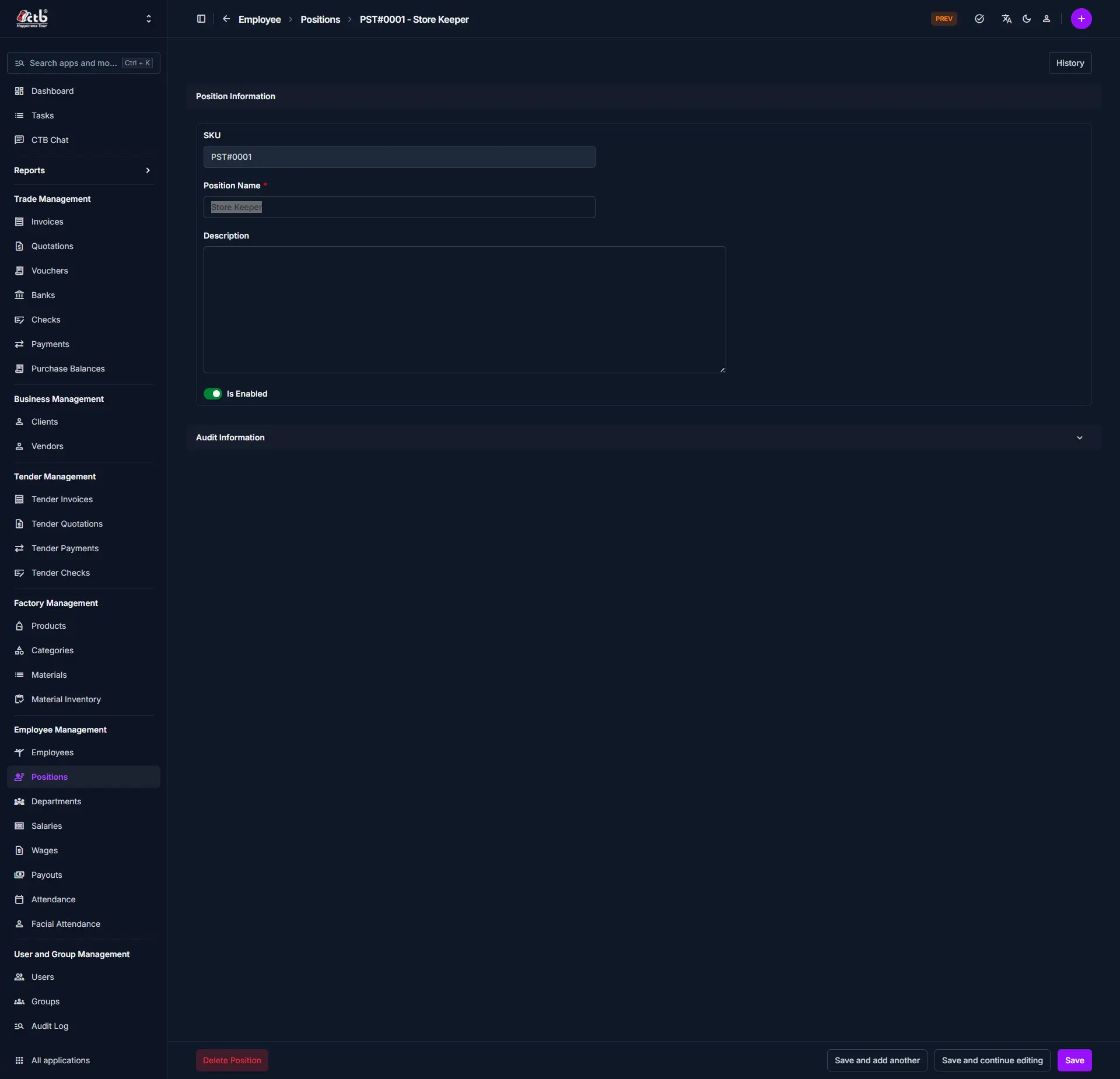
Fill in the following fields in the Position Information section:
| Field | What to Do | Description |
|---|---|---|
| SKU | Auto-generated | System-generated unique identifier for the position (read-only) |
| Position Name * | Enter name | The official title or name of the position (required) |
| Description | Enter text | Optional details about the position's responsibilities or purpose |
| Is Enabled | Toggle on/off | Set whether the position is active and available for assignment |
Required Fields
Fields marked with a red star (*) are mandatory.
Audit Information
The Audit Information section displays system-generated details about who created or last modified the position record. Click the section header to expand it. This section is read-only and helps with compliance and change tracking.
Saving the Position
After completing all fields:
- Click Save to create or update the position
- Click Save and continue editing to save and remain on the page
- Click Save and add another to save and immediately add a new position
The position will now be available for employee assignment and reporting.
Deleting a Position
A Delete Position button is available at the bottom-left of the page.
Restricted Action
A position can only be deleted if no employees are currently assigned to it. If the position is in use, remove the assignment from the relevant employee records first before attempting to delete.
Tips
- **Position Name is required** — You must enter a unique name before saving <br>
- **Is Enabled controls availability** — Only enabled positions can be assigned to employees <br>
- **Use Description for clarity** — Add details to help others understand the role's responsibilities <br>
- **History button** — Use the **History** button in the top-right corner to review all past changes made to this position record <br>
- **SKU is auto-generated** — The system assigns a unique SKU on creation; you do not need to enter it manually <br>
Related Pages
- Positions Overview — View and manage all positions in the system
- Employees — Assign positions to employee profiles
- Departments — Manage the departments positions belong to
- Audit Log — Review all changes made to position records