Add Bank
Use this page to register a new bank account in CTB Admin. When you open a new bank account or need to track an existing one, create a bank record to manage its name, balance limits, branch details, and account information. Bank records help you monitor balances, link checks and payments, and maintain accurate financial records.
When to use this page
- Registering a new bank account in the system
- Setting up balance limits for financial monitoring
- Linking a bank to checks and payment transactions
- Managing branch and account details for a bank
- Enabling or disabling a bank account from active use
How to access this page
From the sidebar, go to Trade Management → Banks. On the Banks List page, click the purple (+) icon in the top-right corner.
The system opens the Add Bank Page.
Bank Information
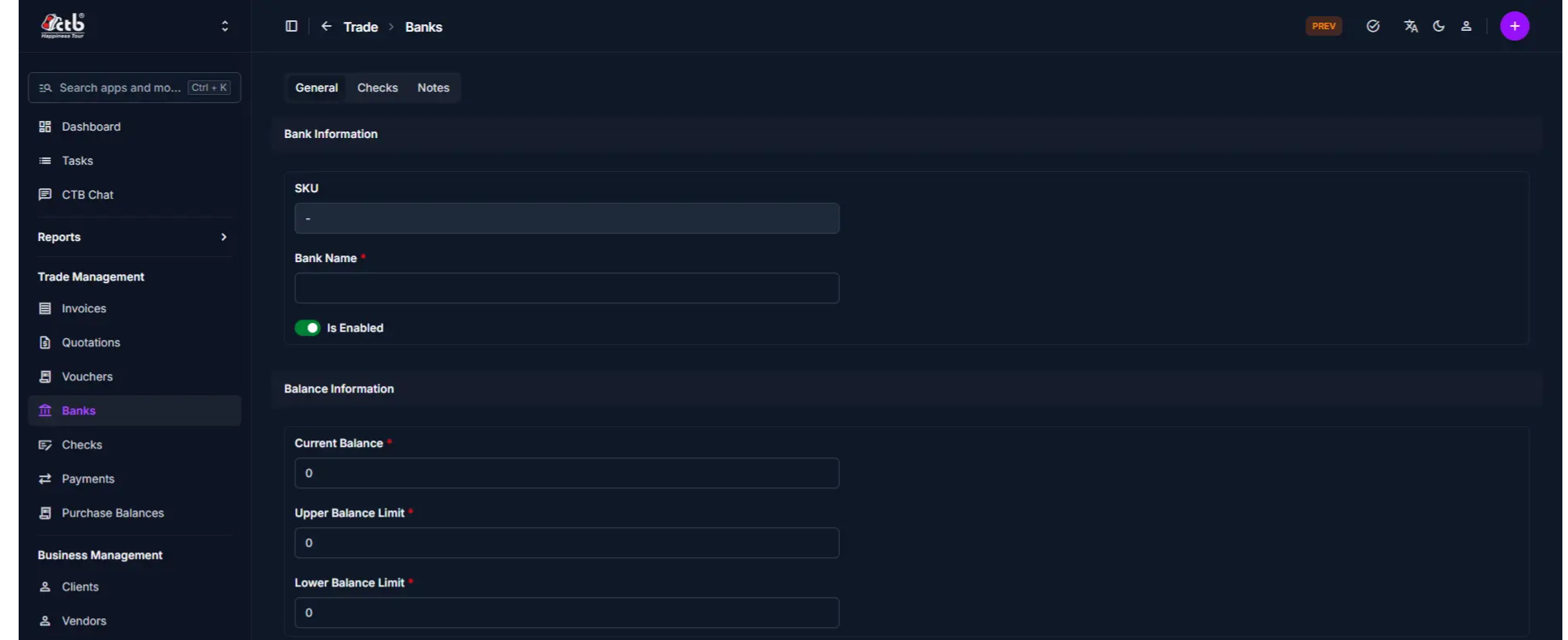
Fill in the following fields:
| Step | Field | What to Do | Description |
|---|---|---|---|
| 1 | SKU | Auto-generated | Unique identifier for the bank record (read-only) |
| 2 | Bank Name | Enter name | The name of the bank or bank account |
| 3 | Is Enabled | Toggle on/off | Activate or deactivate this bank account in the system |
Required Fields
Fields marked with a red star (*) are mandatory. Bank Name is required before saving.
Balance Information
Configure the financial limits for this bank account:
| Step | Field | What to Do | Description |
|---|---|---|---|
| 1 | Current Balance | Enter amount | The current available balance in this bank account |
| 2 | Upper Balance Limit | Enter amount | Maximum balance threshold; alerts when balance exceeds this |
| 3 | Lower Balance Limit | Enter amount | Minimum balance threshold; alerts when balance falls below this |
Balance Limits
Upper and Lower Balance Limits are used for financial monitoring. The system can notify you when the bank balance crosses either threshold.
Branch Details
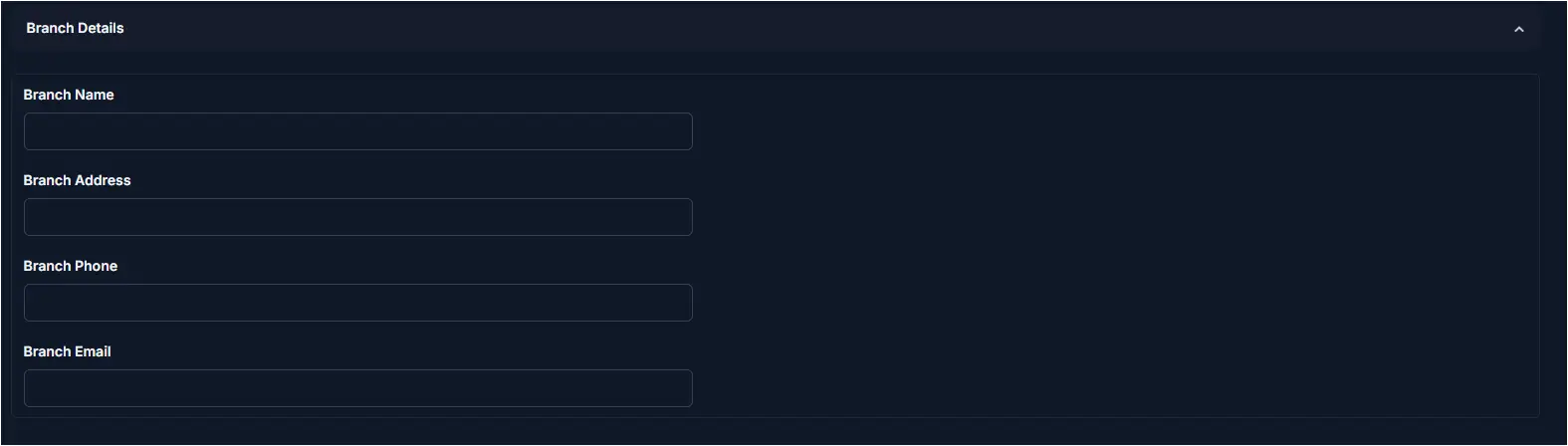
Click the Branch Details section to expand and fill in branch-specific information:
| Field | What to Do | Description |
|---|---|---|
| Branch Name | Enter text | Name of the specific bank branch |
| Branch Address | Enter text | Physical address of the bank branch |
| Branch Phone | Enter number | Phone number of the bank branch |
Info
Branch Details is a collapsible section. Click the header to expand it before entering data.
Account Details
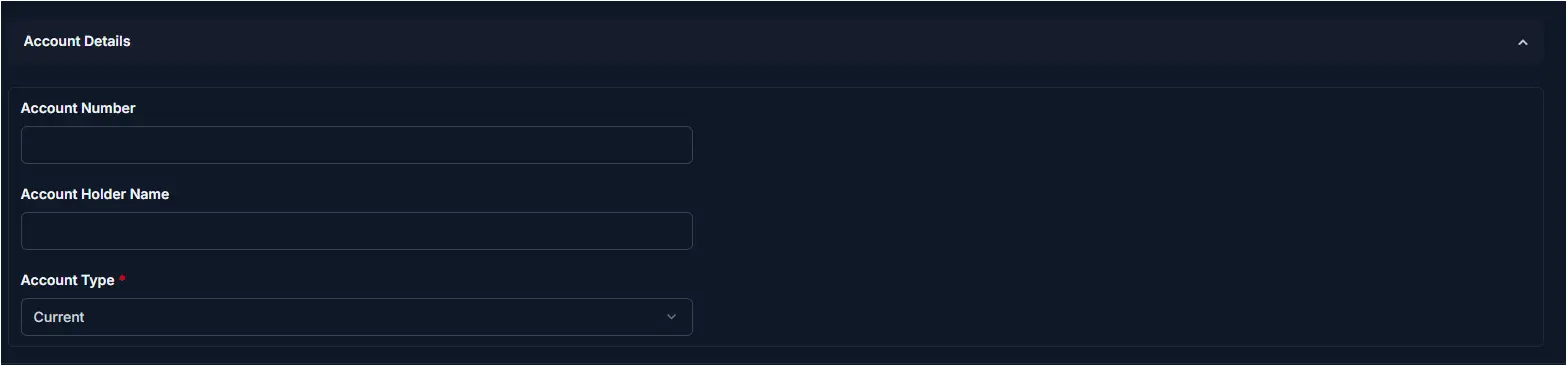
Click the Account Details section to expand and fill in account-specific information:
| Field | What to Do | Description |
|---|---|---|
| Account Name | Enter text | Name on the bank account |
| Account Number | Enter text | Official bank account number |
| Account Type | Enter text | Type of account (e.g., Current, Savings) |
Info
Account Details is a collapsible section. Click the header to expand it before entering data.
Saving the Bank Record
After completing all sections:
- Click Save to create the bank record
- Click Save and continue editing to save and stay on the page
- Click Save and add another to save and create another bank record immediately
The bank is now registered in the system and available for linking to checks and payments.
Tips
- Bank Name is required — You must enter a bank name before the record can be saved
- Is Enabled controls availability — Disabled banks will not appear as selectable options when creating checks or payments
- Current Balance sets the starting point — Enter the actual current balance so the system can accurately track future transactions
- Set realistic balance limits — Upper and Lower limits help flag unusual account activity; set them based on your operational thresholds
- Branch and Account Details are optional — These sections are collapsible and not required, but recommended for complete record-keeping
- Multiple accounts per bank — You can create separate records for different accounts at the same bank; give each a distinct name
Related Pages
- Banks Overview — View all registered bank accounts and their balances
- Bank Detail — View or edit bank information after creation
- Add Check — Create a check and link it to a bank account
- Checks Overview — View all checks associated with bank accounts
- Payments Overview — View all payments linked to bank accounts