Add Material
Overview
The Add Material page is used to create a new raw material in the system. Materials are used for inventory tracking, cost calculation, and production processes.
When to Use
Use this page when:
- Adding a new raw material (e.g., fabric, thread, accessories)
- Setting initial stock and cost
- Defining how the material will be measured (unit)
How to access this page
- Go to Factory → Materials
- Click the Add (+) button to add a new material
General Information
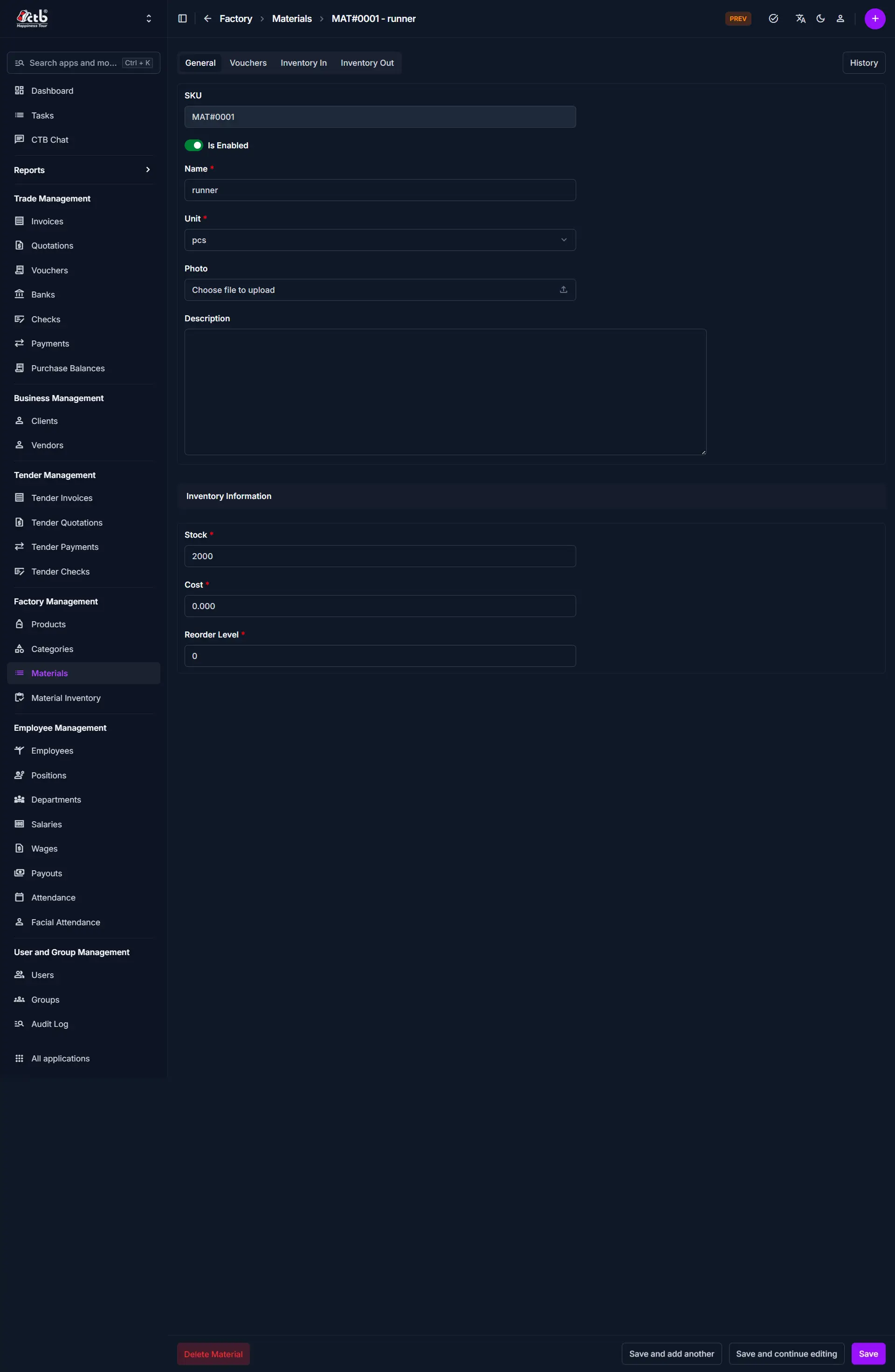
Fields
| Field | Description |
|---|---|
| SKU | Auto-generated or unique identifier for the material |
| Is Enabled | Toggle to activate/deactivate the material |
| Name | Name of the material (e.g., Blue Fabric) |
| Unit | Measurement unit (e.g., pcs, set, mm, cm, m, in, ft, yd, roll, box, kg) |
| Photo | Upload an image of the material (optional) |
| Description | Additional notes or details |
Inventory Information
This section defines stock and cost details.
| Field | Description |
|---|---|
| Stock | Current available quantity |
| Cost | Cost per unit of the material |
| Reorder Level | Minimum stock level before restocking is needed |
Field Guidelines
- Use clear and consistent naming (avoid duplicates like “Blue fabric” vs “blue Fabric”)
- Select the correct unit — this affects all inventory calculations
- Set a realistic reorder level to avoid stock shortages
Warning
Incorrect stock or cost values will directly affect inventory reports and financial calculations.
Tips and Best Practices
- Always set Reorder Level — this prevents stockouts
- Keep Is Enabled ON only for active materials
- Use photos for easy identification (especially in large inventories)
Related Pages
- Material List — View all materials
- Inventory In — Add stock
- Inventory Out — Reduce stock